







 Adams Johnson
 Last updated: Oct 28, 2026 12:00 am
 Android Unlock
A forgotten PIN can turn the phone you use every day into a very expensive clock. If you are searching for a way to unlock your phone for free, you probably want a practical answer: what can restore access, what happens to your photos, and whether an unlock app is worth downloading.
Quick answer: Some Samsung phones let you recover access with a recently replaced screen code. Google Find Hub can reset an eligible phone for free, but erases its local data. LockWiper Android offers a computer-based screen-lock removal route for Samsung, Xiaomi, OPPO, OnePlus, Motorola, Google, Huawei, and other Android brands.
Forgot your screen password? LockWiper Android brings screen-lock removal and device-specific preparation to your PC, helping you move past a forgotten PIN or pattern and use your Android phone again.
▸ Can You Unlock an Android Phone for Free?
▸ Free Ways to Unlock Your Phone (50% Success Rate)
▸ Stop Guessing Your PIN and Start Unlocking with LockWiper (99% Success Rate)
Can You Unlock an Android Phone for Free?
Yes, if a built-in recovery or reset method fits your situation. You do not always need a third-party device unlock application. What matters first is whether you can recover the screen lock or are prepared to reset the phone and restore an available backup.
Start by checking what is still accessible. Can you sign in to the Google Account used on the device? Did you change a Samsung screen code within the last three days? Those details can point to a usable option more quickly than installing several apps.
Free Ways to Unlock Your Phone (50% Success Rate)
Recently Changed Your Samsung PIN? Recover Access Without a Reset
Changed your PIN and immediately forgotten the new one? On supported Samsung Galaxy phones running One UI 6.1 or later, the previous PIN, password, or pattern can remain available for 72 hours after the change. You must still remember that earlier code.
This option resets the screen lock rather than erasing the phone. It is useful when you remember yesterday’s code perfectly but cannot remember the replacement you chose this morning.
- On the lock screen, select Forgot PIN, or the corresponding password or pattern option, when it becomes available.
- Enter the previous screen-lock code and confirm it.
- Choose the new screen-lock type and enter a replacement code.
- Confirm the new code, then check that you can open the phone.
The earlier code must still be stored. This route will not help after the 72-hour window or if the previous lock information was deleted. Samsung’s previous screen-lock instructions explain the supported conditions.
Use Find Hub to Reset a Phone You Cannot Unlock
If recovery is unavailable and you accept clearing the phone, Google Find Hub offers a free reset route. You can use its website from a computer or another phone; installing an unlock app on the locked handset is unnecessary.
The target phone needs power, an internet connection, a signed-in Google Account, Find Hub enabled, and visibility on Google Play. Sign in with the account already associated with that phone.
- Open Find Hub in a browser or its app on another Android device.
- Select the phone you want to reset. Check the model if several devices appear.
- Open the selected device’s settings and choose Factory reset.
- Complete the requested verification and confirm the erase.
- When the phone finishes resetting, complete setup and restore an available backup.
This removes local data, including apps and photos stored on the phone. Be ready to provide the previously associated Google Account during setup. Find Hub is not a remote switch for replacing a forgotten PIN while keeping everything untouched.
If you searched for “device manager Android unlock,” Android Device Manager is the older name you may have encountered in tutorials. Use the current Find Hub instructions rather than an old promise that a Lock button will replace any existing screen password.
Stop Guessing Your PIN and Start Unlocking with LockWiper (99% Success Rate)
When the old-code window has closed, iMyFone LockWiper Android gives you a dedicated way to remove a forgotten screen lock from your Windows PC. It removes PIN, pattern, password, fingerprint, and face locks on Samsung, Xiaomi, OPPO, OnePlus, Realme, LG, Motorola, Google, Huawei, Honor, Sony, Vivo, and other Android brands, without requiring the original screen code.
Its practical advantage is keeping the removal option, device information, package preparation, and next steps together on your PC. You can follow the phone’s matching instructions instead of piecing together different tutorials and button sequences.
- Remove the forgotten screen credential: use the screen-lock function rather than an unrelated Google-lock process.
- Prepare the right device: review the displayed model before the program prepares the required package.
- Follow a defined sequence: work through the connection and reset prompts with the handset beside you.
Check Whether a Data-Preserving Option Fits
LockWiper Android has a separate Remove without Data Loss option for selected Samsung models. The standard screen-lock removal route erases local data. If you can still access anything important, back it up first.
Remove the Screen Lock with the Standard Workflow
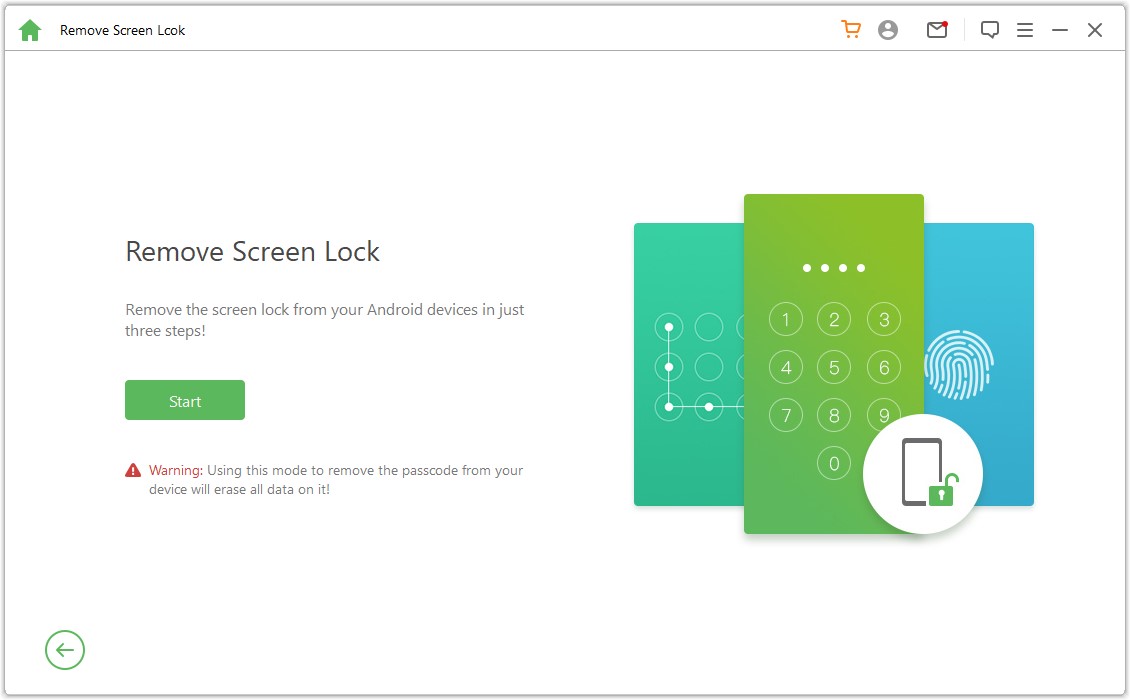
Step 1: Choose screen-lock removal. Install LockWiper Android on your Windows PC. Open Remove Screen Lock, select the standard removal route, and review the data-erasure notice before clicking Start.
Step 2: Connect and confirm. Connect the phone with a USB data cable. Check the device information and correct it where required before selecting Start to Unlock.
Step 3: Complete preparation. Allow the required package to download and transfer. Follow the reset instructions displayed for your device. Some preparation requires actions on the phone, so keep it within reach.
Step 4: Check the result. Wait for completion, then let the phone restart. Complete setup and any account verification, and choose a new screen lock.
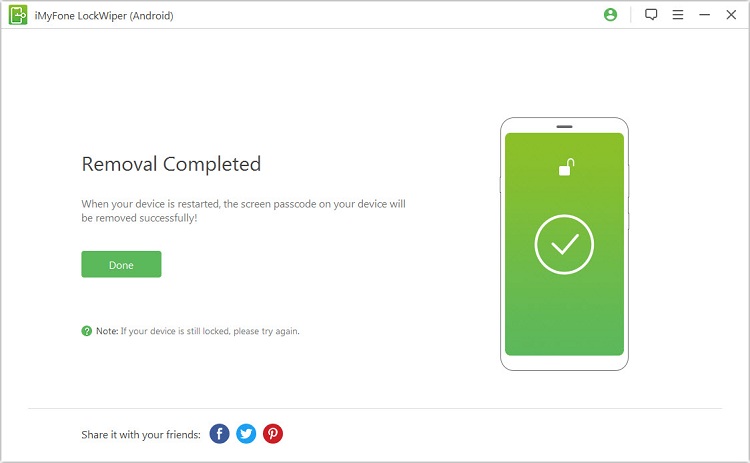
Use the official LockWiper Android guide for the matching mode. If the phone stops appearing on the PC, check the USB connection before repeating removal.
Choose the Unlock Option That Works for You
The right choice depends on what you can still use and whether keeping local data is essential. This comparison keeps those decisions in view.
| Your Situation | Where to Start | Data Result |
|---|---|---|
| You recently replaced a Samsung screen code and remember the earlier one | Previous-code recovery on an eligible Galaxy phone | No factory reset required |
| You can access the associated Google Account and the phone meets remote-reset requirements | Google Find Hub | Local data erased |
| You want a PC-based process for a locked Samsung, Xiaomi, OPPO, OnePlus, Motorola, or another compatible Android phone | LockWiper Android screen-lock removal | Dedicated no-data-loss mode for selected Samsung models; standard removal erases local data. |
If a built-in option meets your needs, start there. For a computer-based alternative, LockWiper Android puts the removal steps and device preparation in one place. Check the selected mode, then follow its instructions through to setup.
Conclusion
If you are wondering how to unlock your phone for free, begin with the recovery options your device already provides. Samsung’s previous-code feature can avoid a reset when eligible, while Find Hub clears a locked phone for a fresh setup. When you need a desktop alternative, LockWiper Android removes screen locks across major Android brands and offers a data-preserving option for selected Samsung models.
FAQs About Free Phone Unlockers
Can I Install an Unlock App on a Phone That Is Already Locked?
You generally cannot open an app store or install a device unlock application through the normal interface while locked out. A browser-based service on another device or compatible desktop software avoids needing to open an unlock app on that screen first.
Can Android Device Manager Remove My PIN Without Erasing Data?
Do not rely on it to replace a forgotten existing PIN. The current service, Find Hub, offers remote reset for eligible devices. That clears local data so you can set up the phone again.
Is LockWiper Android Free to Use?
It is available to download and try, but that does not mean a complete screen-lock removal is free. Check the current license terms before starting a paid operation. The built-in recovery methods above do not require buying third-party unlocking software.
Is a Free Phone Unlocking Service the Same as Screen-Lock Removal?
Not always. Some services unlock a phone for use on another mobile network. That does not remove its screen password. If another carrier’s SIM is the issue, ask the original carrier about its network-unlock requirements.